How can I run DeepSeek Harness locally?
Short answer: install Node.js 22.19 or newer, run the official scoped npm package, then open its local Web UI. Harness itself runs on your computer; the default DeepSeek model still runs through an API unless you add a compatible local endpoint.
Environment: Mac mini, Apple M4, 32GB unified memory, macOS 26.5, Node 24.7.0, npm 11.5.1. The timings are one setup record, not a cross-machine benchmark.
1. Check Node, then start the Web UI
The current package requires Node ^22.19.0 or >=24.0.0. Use the official scoped package name—@deepseek-ai/dsh—not the similarly named unscoped PyPI project.
node --version
npx @deepseek-ai/dsh web

# Open after the URL appears:
# http://127.0.0.1:3080
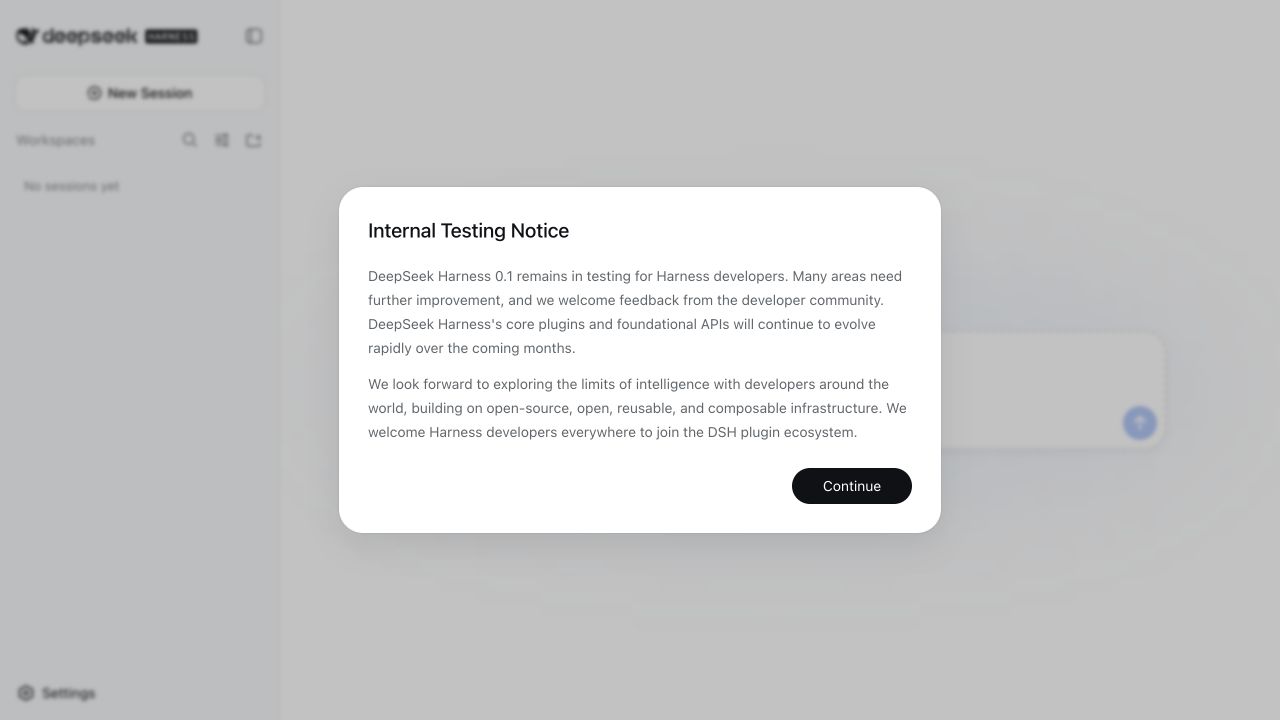
On our empty npm cache, the terminal printed no progress for most of the install. It eventually created a 346MB package tree containing 195 @deepseek-ai packages and printed the URL after roughly seven minutes. Do not cancel immediately just because it looks idle.
2. Choose a workspace before you type
The message box is disabled until a workspace is selected. On our Mac test, Choose workspace opened the native directory picker. Start with a disposable Git repository: the default preset shown by the UI is Workspace Write, so this is an agent with file-changing tools, not a read-only chat window.
3. Configure the model separately
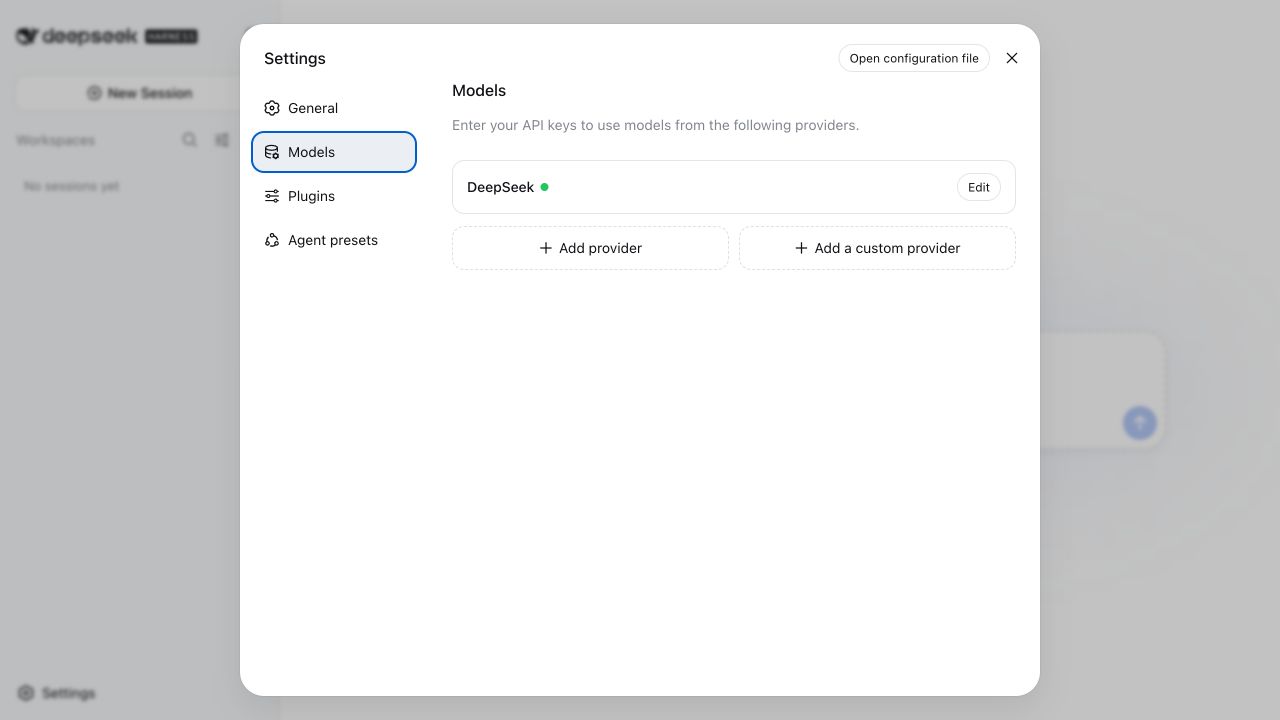
Open Settings → Models. The built-in DeepSeek provider expects an API credential. The credential was already available in our isolated test environment; we did not type it into the browser or include it in any screenshot.
How can I use Harness with a local model?
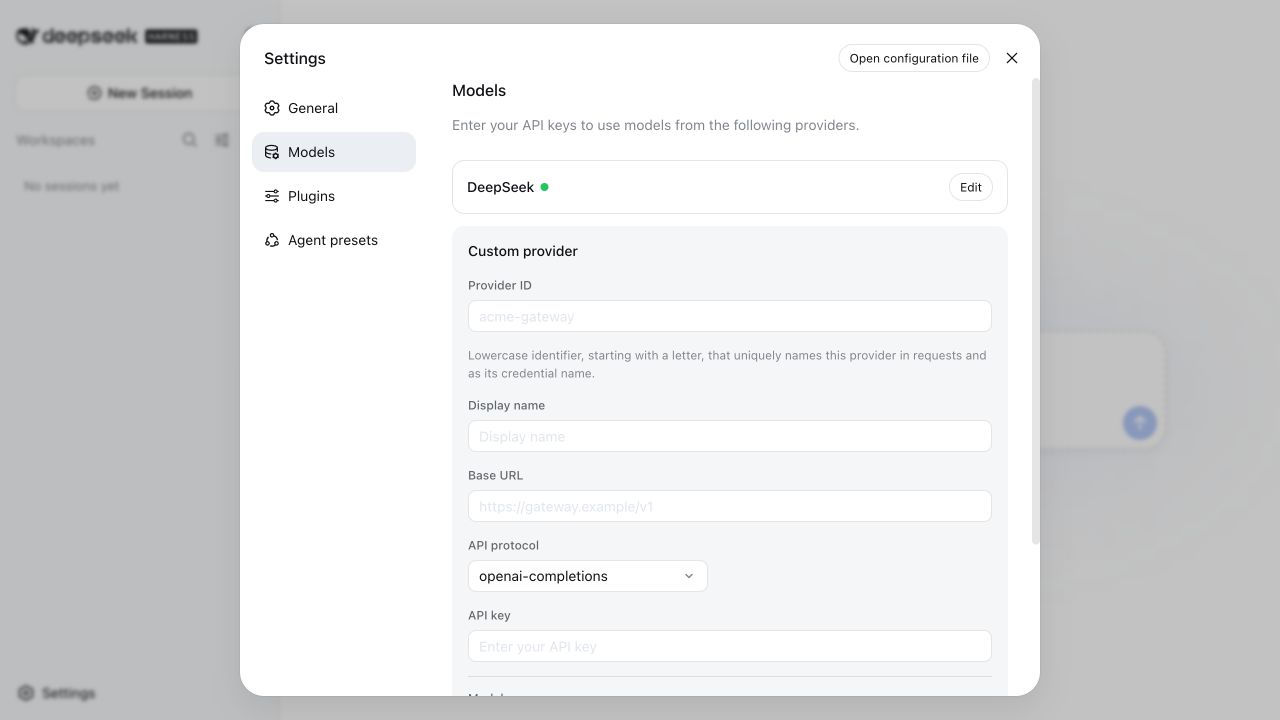
Run Ollama, llama.cpp, vLLM, or another server that exposes a compatible API, then choose Add a custom provider. Harness currently offers openai-completions, openai-responses, and anthropic-messages protocols.
- Give the provider a stable lowercase ID and display name.
- Enter the local server's base URL—for example, an OpenAI-compatible endpoint ending in
/v1. - Select the protocol your server implements, then fetch or add the exact model ID.
- Test one harmless prompt before granting a real project broader write permissions.
We also ran the official Headless profile
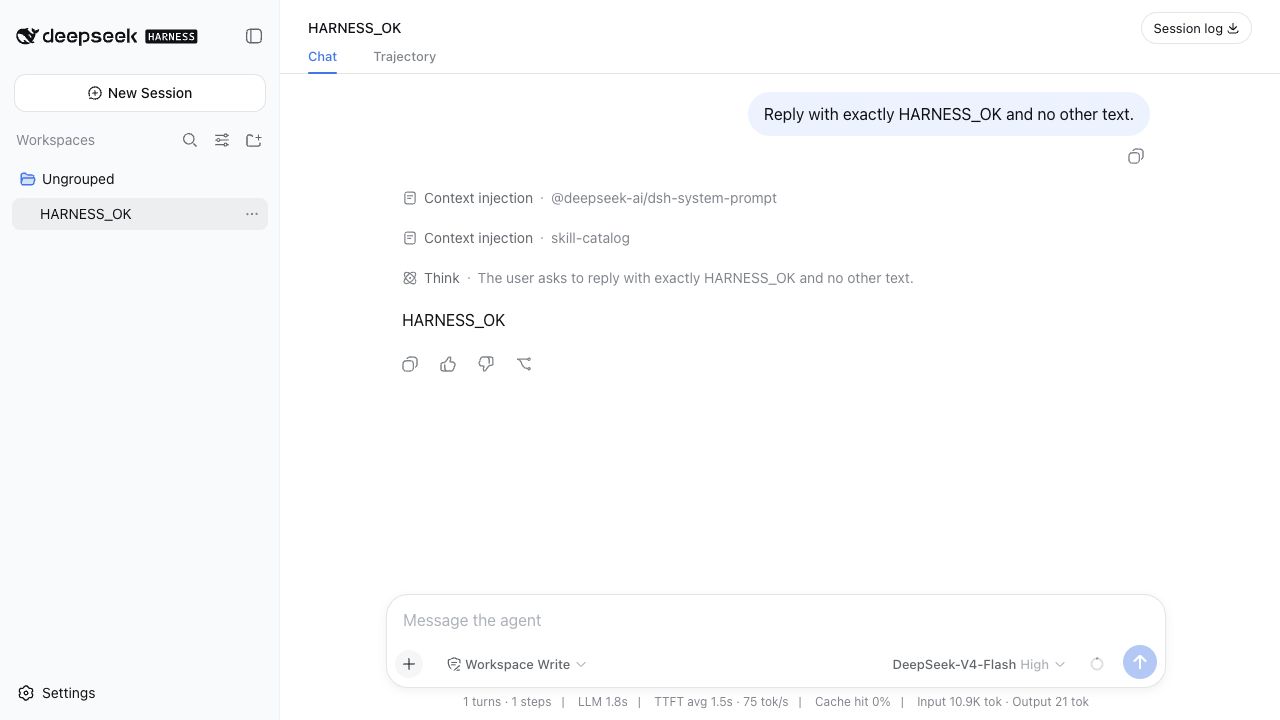
npx @deepseek-ai/dsh --profile headless "Reply with exactly HARNESS_OK and no other text."The cached command exited successfully in 4.45 seconds and printed HARNESS_OK. After refreshing the Web UI, the session appeared under Ungrouped with its prompt, response, injected context, and trajectory. Harness reported 1.8 seconds of LLM time and 1.5 seconds TTFT for this one trivial request. Those numbers prove the path worked; they are not a repeatable model-speed measurement.
We asked it to explain Harness—and compare Codex and Claude Code
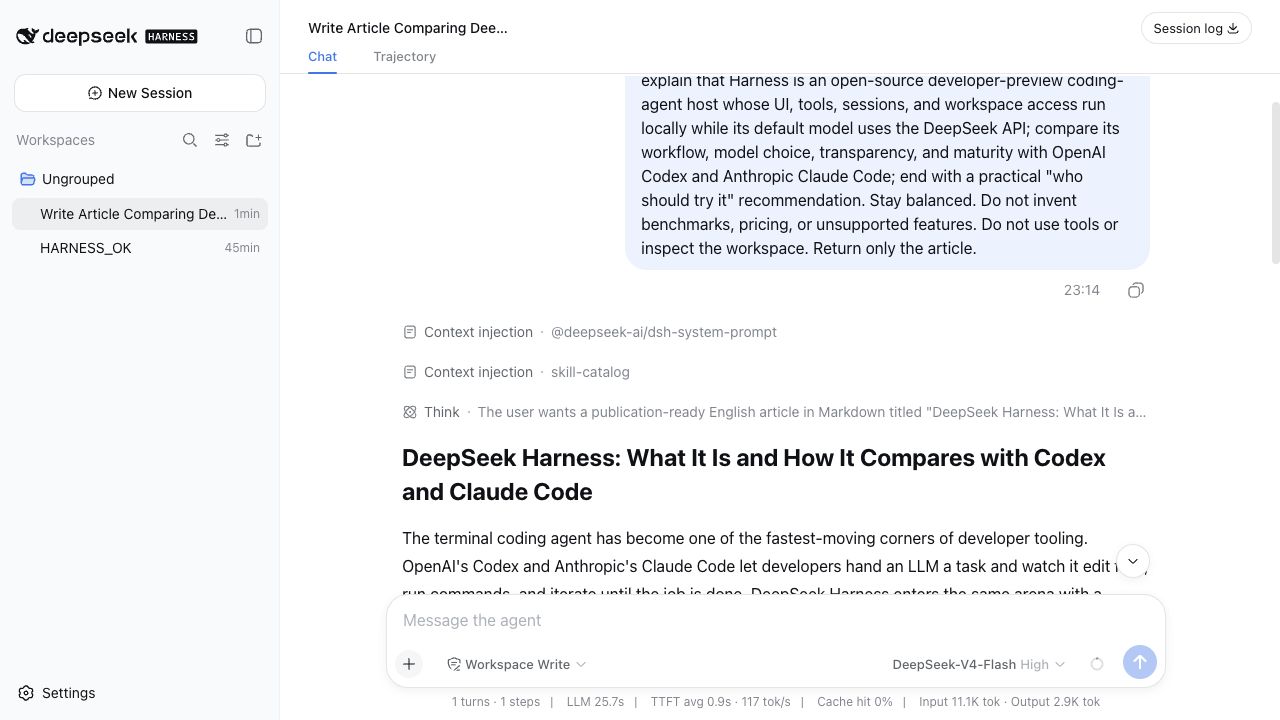
For a less artificial test, we gave DeepSeek-V4-Flash with High reasoning a bounded editorial task: write a 600–800 word English introduction to Harness, compare its workflow, model choice, transparency, and maturity with Codex and Claude Code, and avoid invented benchmarks or pricing.
Write a publication-ready English article in Markdown titled
"DeepSeek Harness: What It Is and How It Compares with Codex and Claude Code."
Target working developers. Stay balanced. Do not invent benchmarks,
pricing, or unsupported features. Return only the article.The headless process completed in 26.5 seconds wall-clock. These are the UI's numbers from one writing run on one network connection—not a repeatable comparison benchmark against Codex or Claude Code.
Our honest take on the result
It felt fast: text started almost immediately, the 757-word draft arrived in one pass, and the structure was usable without prompting it to reorganize. Compared with our normal Codex or Claude Code workflow, the unusually nice part was not just speed—it was seeing the model, effort level, TTFT, throughput, token counts, reasoning, and trajectory in the same local interface.
We would not publish its draft verbatim. The core “local host, remote model” explanation was clear, but the Codex and Claude Code comparison stayed broad and made maturity/support claims that still need source-by-source checking. This was a strong first draft, not evidence that V4 Flash is a better coding agent; a real repository edit, test run, and review would be a different evaluation.
What tripped us up
Silent cold install
The quick-start command looked frozen for minutes. Wait for network activity or the final local URL before retrying.
Local app ≠ local model
The UI and tools are local, but the default model provider is remote. A local endpoint is a separate setup and hardware decision.
Workspace is mandatory
The composer stays disabled until you pick a directory. On macOS this can appear as a native picker outside the browser surface.
Headless sessions are ungrouped
Our CLI smoke test synced into the Web UI, but appeared under Ungrouped rather than automatically becoming a saved workspace.
Preview means preview
The first screen explicitly warns that foundational APIs will change. Pin a release candidate instead of assuming latest is stable.
Name collision
Use @deepseek-ai/dsh for the official Node app. A similarly named Python package can lead searchers to unrelated software.
Can your computer run the DeepSeek model locally too?
That is the expensive half. The current DeepSeek V4 Flash Q2 GGUF is 117.3GB before runtime memory, so a normal 16GB or 32GB computer can run Harness but cannot load those weights. Use a remote API, a smaller local model, or a much larger-memory machine.
DeepSeek V4 Pro 0813 is much larger again: its smallest complete main-model GGUF is 849.7GB, so it needs server-class memory rather than a consumer Mac or PC.
Primary sources
Quick answers
How can I run DeepSeek Harness locally?
Install Node.js 22.19 or newer, then run npx @deepseek-ai/dsh web and open http://127.0.0.1:3080. Choose a workspace and configure a model provider in Settings → Models.
Does DeepSeek Harness run the AI model on my computer?
Not by default. The Harness host, Web UI, tools, and workspace access run locally, while the default DeepSeek provider calls a model API. A fully local model requires a separate OpenAI-compatible local server and enough RAM or VRAM for that model.
How much RAM or VRAM does DeepSeek Harness need?
The Harness application itself does not have large-model memory requirements and does not require a dedicated GPU. Model memory depends on where inference happens. A remote API uses the provider's hardware; a local model must fit its own weights and runtime memory on your machine.
Can DeepSeek Harness use Ollama, llama.cpp, or vLLM?
Harness exposes a custom-provider form for OpenAI Completions, OpenAI Responses, and Anthropic Messages protocols. Point it at a compatible local endpoint, then add or fetch the model ID. We verified the configuration UI, but did not benchmark a local model through it in this test.
Why does the first DeepSeek Harness launch look stuck?
A cold npx install can spend several minutes resolving and downloading many small packages without printing a progress line. On our clean Apple-silicon test profile, the terminal stayed quiet for about seven minutes before it finally printed the local URL.